Swap between two netcards on Windows

Problem situation: You have computer that’s is conected to a business newtowk with a retricted access to the internet by a proxy and need free access to the internet without expose this private network.
A possible solution: Connect your computer through yours smartphone internet link. This article shows how to do it.
If your computer dows not have a built in Wifi adapter you can use a USB Wifi Adapter like this:
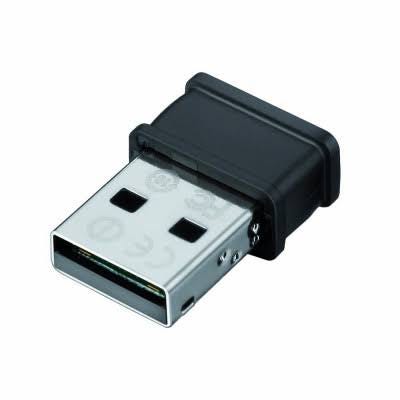
But this generates a security vulnerabilty: The private network is now exposed to the internet. To avoid this you must enable just one netcard by time. This could be boring task to performing every time you need to swat between the interfaces (check here).

To avoid this tedious repetitive task i’ve writed the folow Windows .BAT script that swap between two netcards. You can download this .BAT here. Just copy this script to you computer, rename your interfaces names to match the variables netcard1 and netcard2 in the script, and double click it. Accept the next prompt for administrative privilegies and voila!
@echo off

SET netcard1=Ethernet
SET netcard2=Wi-Fi

if not "%1"=="am_admin" (powershell start -verb runas '%0' am_admin & exit /b)

netsh int show int | find "%netcard1%"
IF errorlevel 1 (
 echo Does not exists a netcard named '%netcard1%'
 pause
 exit 0
)

netsh int show int | find "%netcard2%"
IF errorlevel 1 (
 echo Does not exists a netcard named '%netcard2%'
 pause
 exit 0
)

netsh int show int "%netcard2%" | find "Conectado"
IF errorlevel 1 (
 netsh interface set interface name="%netcard1%" admin=DISABLED
 netsh interface set interface name="%netcard2%" admin=ENABLED
) ELSE (
 netsh interface set interface name="%netcard1%" admin=ENABLED
 netsh interface set interface name="%netcard2%" admin=DISABLED
)